 2:26
2:26Video Studio Overview: Make a Video with AI
One sentence in, a finished video out: a script written from your own material, and the price shown before an AI shot.
Learn / Video tutorials / Video Studio
Video Studio · 59 of 772:17 · 8 chapters
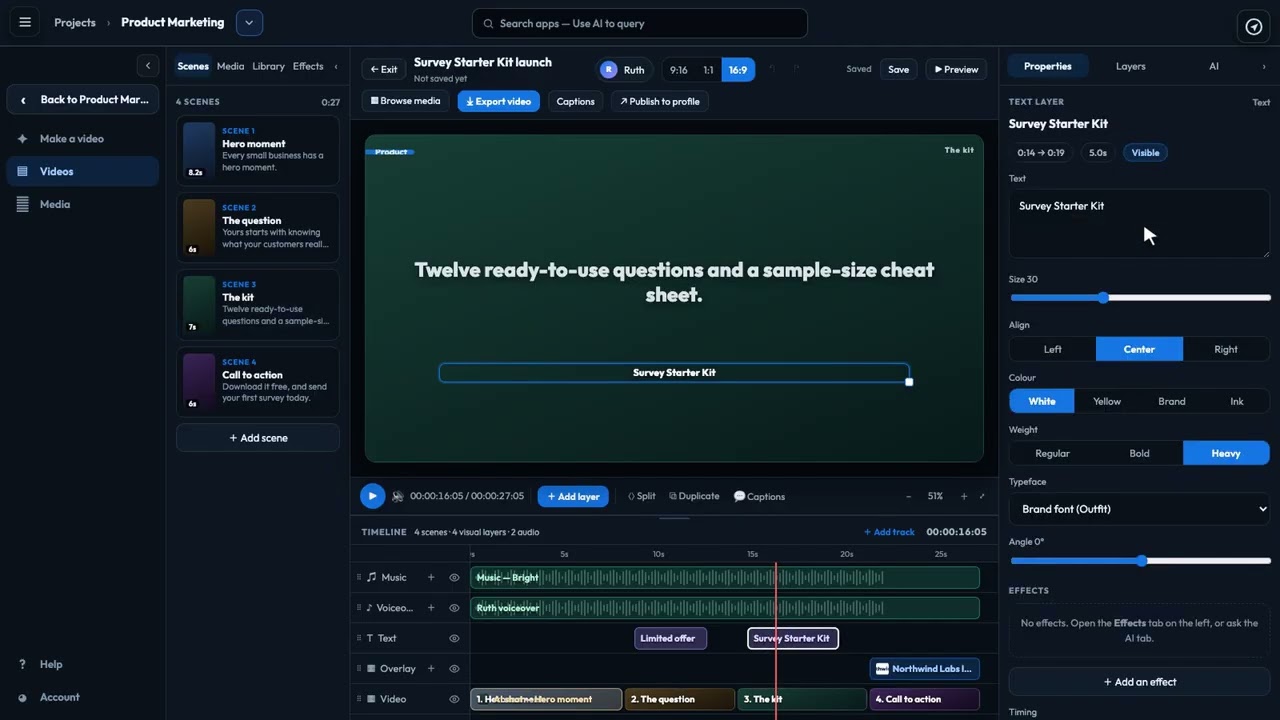
See how the timeline in Video Studio lays out every part of your video over time: scenes, footage, pictures, titles, voiceover and music. Scrub and zoom, move and trim clips, change a scene's length, split, delete, add your own pictures, hide tracks, and undo any change.
Recorded in the real product, using a fictional company, Northwind Labs. Watch on YouTube
2:26One sentence in, a finished video out: a script written from your own material, and the price shown before an AI shot.
 2:27
2:27Every picture, clip and sound for your videos in one place, including licensed stock from Storyblocks.
 2:53
2:53The editor's two side panes: build with Scenes, Media, Library and Effects; fine-tune with Properties, Layers and the AI director.
 2:37
2:37See the video as viewers will, choose the voice, export every shape you need and publish it to your profile.